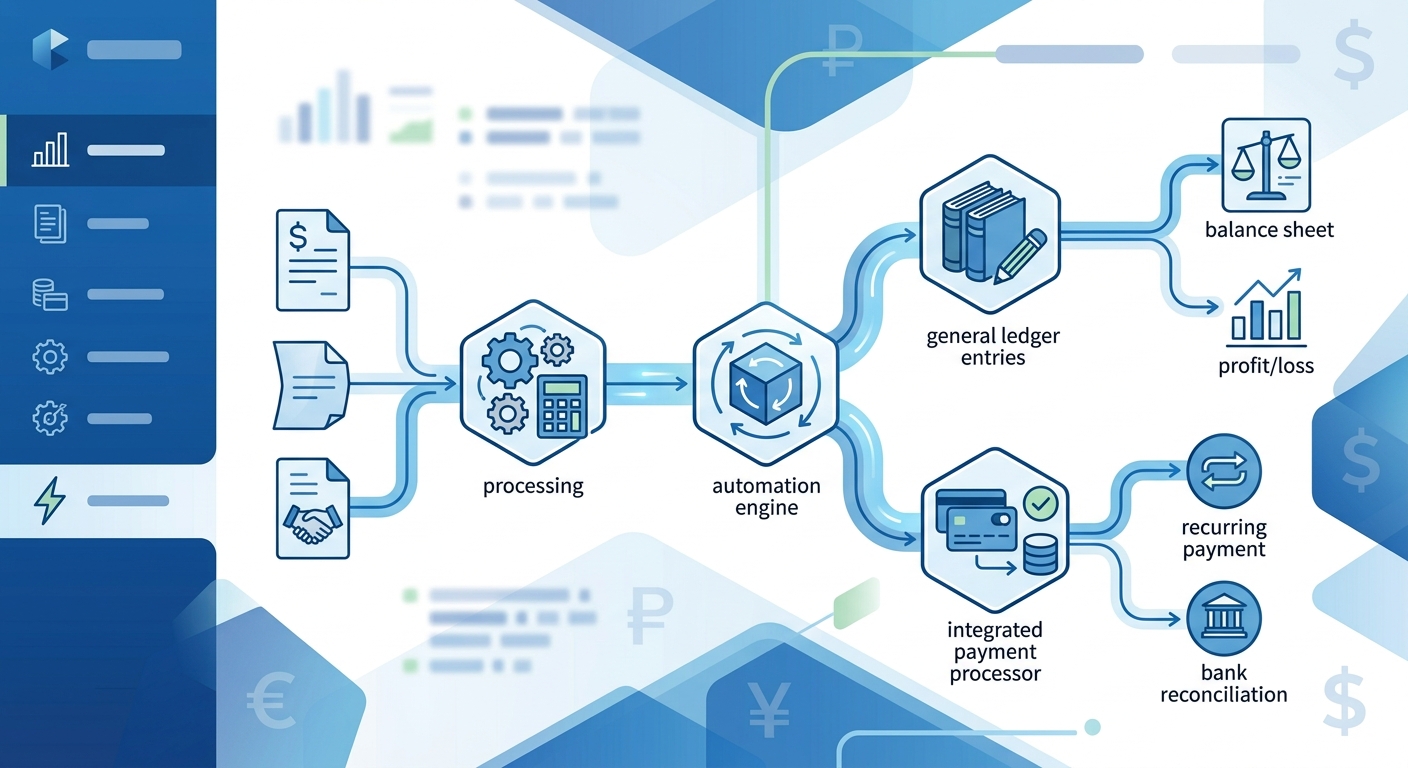
Managing accounting workflows manually drains valuable time from Canadian small and medium-sized businesses. Invoice creation, expense tracking, payment reconciliation, and financial reporting consume hours that could be spent growing your business. QuickBooks automation Canada solutions are transforming how businesses handle these repetitive tasks, and n8n—an open-source workflow automation platform—provides the perfect bridge between QuickBooks and your other business tools. This comprehensive guide walks you through setting up automated accounting workflows that can save your team 10-15 hours per week while reducing data entry errors to near zero.
Why Canadian Businesses Need QuickBooks Automation
QuickBooks remains the accounting software of choice for over 80% of Canadian SMBs, but most companies barely scratch the surface of what's possible when you automate QuickBooks workflows. The typical business manually exports data from e-commerce platforms, copies information from CRM systems, and manually reconciles payments across multiple channels. This manual approach creates bottlenecks, introduces human error, and forces skilled staff to perform data entry instead of strategic work.
Accounting automation Canada initiatives have become essential for maintaining competitive advantage. When you implement n8n quickbooks integration, you create automated pathways that move data seamlessly between systems. Imagine new Shopify orders automatically generating QuickBooks invoices, or customer payments triggering instant receipt emails and updating your CRM records—all without manual intervention. For Canadian businesses dealing with multi-currency transactions, GST/HST compliance, and provincial tax variations, automation ensures accuracy across complex requirements.
The financial impact extends beyond time savings. Automated workflows reduce accounting errors that typically cost businesses 1-3% of revenue annually. They also accelerate cash flow by sending invoices immediately after transactions, shortening your payment collection cycle by an average of 5-7 days.
Setting Up Your n8n Environment for QuickBooks
Before building automated workflows, you need a properly configured n8n instance. Canadian businesses have two primary options: self-hosting on Canadian servers or using n8n Cloud with data residency compliance. For businesses handling sensitive financial data, self-hosting on Canadian infrastructure ensures compliance with PIPEDA regulations and keeps your data within Canadian borders.
Start by creating your n8n account or deploying a self-hosted instance on a Canadian cloud provider like AWS Canada (Central) or Azure Canada East. Once your n8n environment is running, navigate to the Credentials section to establish your QuickBooks connection. You'll need QuickBooks Online API credentials, which require registering as a developer in the Intuit Developer Portal.
The authentication process uses OAuth 2.0, providing secure access to your QuickBooks data without exposing passwords. In the Intuit Developer Portal, create a new app, note your Client ID and Client Secret, and set your Redirect URI to match your n8n instance (typically https://your-n8n-instance.com/rest/oauth2-credential/callback). Back in n8n, create new credentials selecting "QuickBooks Online OAuth2 API," paste your Client ID and Client Secret, then complete the OAuth connection by signing into your QuickBooks account. This establishes the secure pipeline for your accounting automation Canada workflows.
Building Your First Automated QuickBooks Workflow
Let's create a practical workflow that Canadian businesses implement immediately: automated invoice generation from e-commerce sales. This n8n quickbooks integration example works for businesses using Shopify, WooCommerce, or similar platforms.
Create a new workflow in n8n and add a Webhook trigger node as your starting point. This webhook will receive order data from your e-commerce platform. Configure your e-commerce platform to send POST requests to this webhook URL whenever new orders are completed. The webhook captures order details including customer information, line items, amounts, and applicable taxes.
Next, add a QuickBooks node and select "Create Invoice" as the operation. Map the incoming webhook data to QuickBooks invoice fields: customer name to CustomerRef, order items to Line items, subtotal to TotalAmt, and importantly for Canadian businesses, configure the TxnTaxDetail section to properly record GST, HST, or PST based on the customer's province. You can use n8n's built-in expression editor to calculate tax amounts: {{($node["Webhook"].json["subtotal"] * 0.13)}} for HST in Ontario, for example.
Add conditional logic using an IF node to handle different tax scenarios based on province codes. British Columbia orders need separate GST and PST line items, while Alberta orders only require GST. This attention to Canadian tax complexity ensures your automated system maintains compliance.
Finally, add an email notification node that sends invoice confirmations to customers, and optionally, a Slack or Teams node that notifies your accounting team of new invoices. Test your workflow thoroughly with sample orders before connecting it to live data.
Advanced QuickBooks Automation Scenarios
Once you've mastered basic invoice automation, expand your automate quickbooks workflows capabilities with these advanced scenarios that address common Canadian business needs.
Automated Expense Management: Connect your business credit card provider's API or email notifications to n8n. When expense notifications arrive, use n8n's AI nodes or webhook processing to extract vendor names, amounts, and categories, then automatically create QuickBooks expense entries. For receipts, integrate optical character recognition (OCR) through Google Vision or similar services to extract data from receipt images stored in Google Drive or Dropbox, creating fully documented expense records without manual data entry.
Multi-Currency Payment Reconciliation: Canadian businesses often deal with USD transactions. Build workflows that monitor payment processor webhooks (Stripe, PayPal, Square), capture the exchange rate at transaction time, and create QuickBooks payments with accurate CAD conversions. Include nodes that check the Bank of Canada exchange rate API for consistency, ensuring your records match actual currency conversion costs.
Automated Financial Reporting: Schedule workflows that run weekly or monthly to extract data from QuickBooks, compile it with information from other business systems, and generate comprehensive reports delivered via email or posted to your project management system. Include cash flow projections, accounts receivable aging, and expense trending that gives leadership actionable insights without manual report preparation.
Vendor Bill Processing: For businesses managing multiple vendors, create workflows that monitor incoming vendor bills via email or document management systems, extract key information, create QuickBooks bills, and route them through approval workflows before scheduling payments. This ensures no vendor payment deadlines are missed while maintaining proper approval controls.
Maintaining and Optimizing Your QuickBooks Automation
Successful quickbooks automation canada implementations require ongoing maintenance and optimization. Schedule monthly reviews of your automated workflows to ensure they're performing as expected and adapting to business changes.
Monitor error logs within n8n to identify patterns. Common issues include API rate limits, authentication token expiration, and data format mismatches when source systems update. Set up error notification workflows that alert your technical team immediately when automation failures occur, preventing small issues from becoming major problems.
Optimize workflow performance by implementing data validation nodes that check information quality before sending it to QuickBooks. This prevents invalid data from entering your accounting system and reduces the need for manual corrections. Use n8n's data transformation capabilities to standardize formats—ensuring postal codes, phone numbers, and tax IDs match QuickBooks' expected formats.
Document your workflows thoroughly within n8n using note nodes and maintain external documentation that explains business logic, especially for tax calculations and compliance requirements specific to Canadian operations. This documentation proves invaluable when onboarding new team members or troubleshooting complex issues.
Consider implementing staging and production workflow environments. Test workflow modifications in staging using QuickBooks Sandbox accounts before deploying to production, preventing automation errors from affecting your live financial data.
Getting Professional Support for Your Automation Journey
While n8n provides powerful no-code tools for building quickbooks automation workflows, many Canadian businesses benefit from professional guidance to ensure robust, compliant, and scalable implementations. Complex requirements like multi-entity accounting, industry-specific compliance, or enterprise-grade security often require expertise beyond typical business capabilities.
Professional automation consultants help you identify the highest-value automation opportunities, architect workflows that scale with business growth, and implement best practices for security and compliance. They also provide training that empowers your team to maintain and extend automations independently, maximizing your long-term return on investment.
Ready to transform your accounting processes with automated QuickBooks workflows? Our team specializes in helping Canadian SMBs implement n8n quickbooks integration solutions tailored to your specific business needs and compliance requirements. We'll assess your current workflows, identify automation opportunities, and build custom solutions that save time while ensuring accuracy. Book an automation consultation for QuickBooks integration at integratie.ca/contact and discover how much time and money you could save with properly implemented accounting automation Canada solutions.